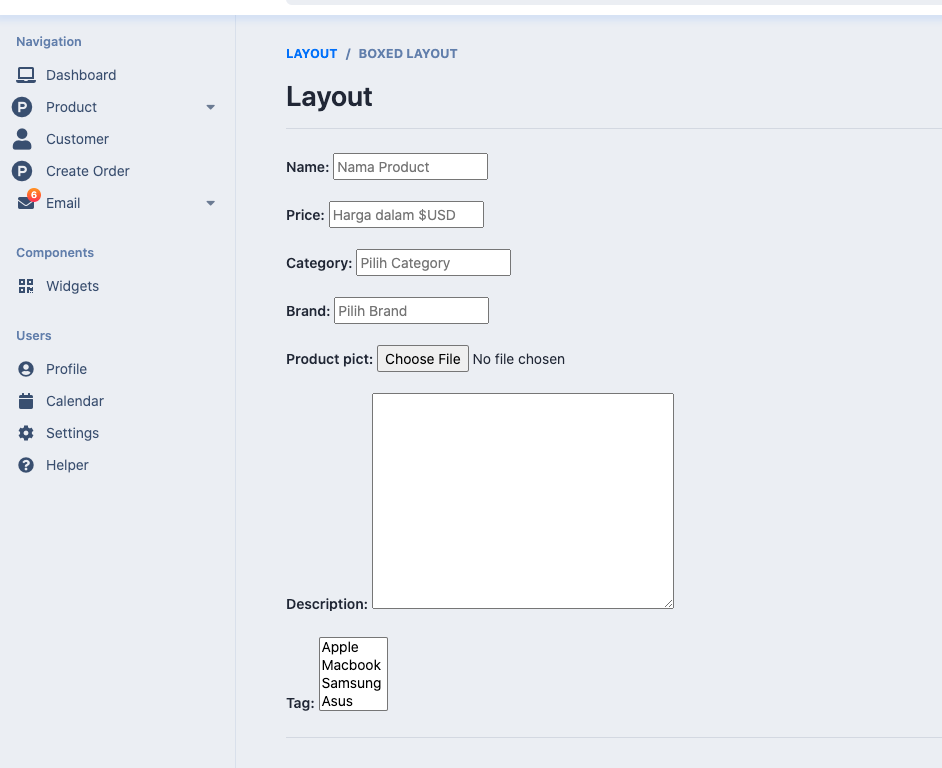
agar rendering django tidak terkesan monoton tanpa ada polesan css, tak ubahnya tampilan yang kaku seperti gambar dibawah ini
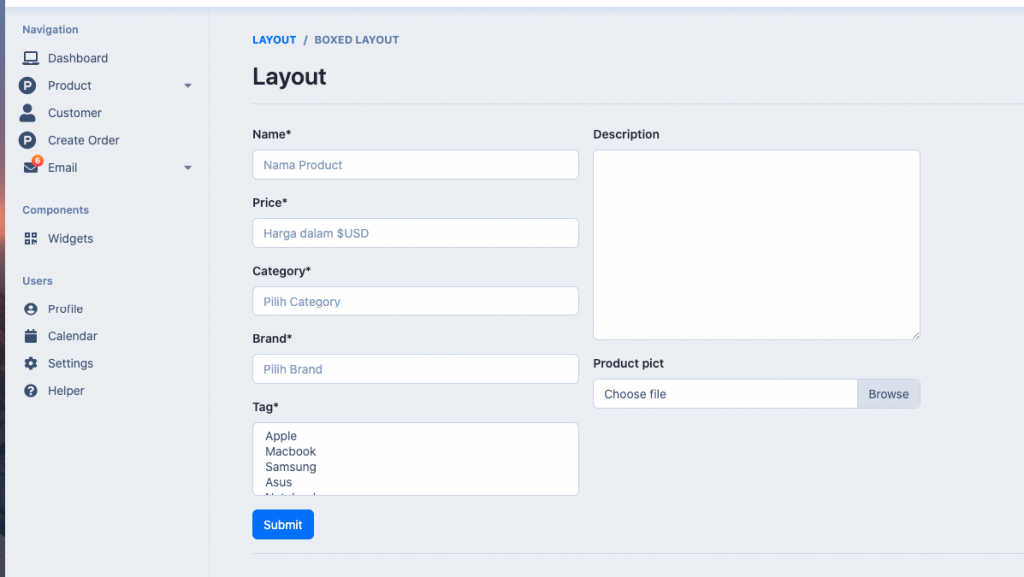
maka dibutuhkan model khusus tanpa ribet custome di html, we call it crispy “yumyyy…”
install django crispy
pip install django-crispy-forms
jangan lupa tambahkan list app dan beberapa configurasi berikut di settings.py
INSTALLED_APPS = [
    'django.contrib.admin',
    'django.contrib.auth',
    'django.contrib.contenttypes',
    'django.contrib.sessions',
    'django.contrib.messages',
    'django.contrib.staticfiles',
    'crispy_forms',
    'accounts',
]

CRISPY_TEMPLATE_PACK = 'bootstrap4'
models.py
from django.db import models
from django.contrib.auth.models import User

# Create your models here.

class Category(models.Model):
    name = models.CharField(max_length=200, null=True)

    def __str__(self):
        return self.name


class Tag(models.Model):
    name = models.CharField(max_length=200, null=True)

    def __str__(self):
        return self.name


class Brand(models.Model):
    name = models.CharField(max_length=200, null=True)

    def __str__(self):
        return self.name


class Product(models.Model):
    name = models.CharField(max_length=200, null=True)
    price = models.FloatField(null=True)
    category = models.ForeignKey(
        Category, null=True, on_delete=models.SET_NULL)
    brand = models.ForeignKey(Brand, null=True, on_delete=models.SET_NULL)
    date_created = models.DateTimeField(auto_now_add=True, null=True)
    product_pict = models.ImageField(null=True, blank=True)
    description = models.TextField(null=True, blank=True)
    tag = models.ManyToManyField(Tag)

    def __str__(self):
        return "{} - {} - {} ".format(self.name, self.category, self.price)
forms.py
from django.contrib.auth.models import User
from django.forms import ModelForm
from django.contrib.auth.forms import UserCreationForm
from django import forms
from .models import *


class productForm(ModelForm):
    class Meta:
        model = Product
        fields = '__all__'
        widgets = {
            'name': forms.fields.TextInput(
                attrs={
                    'id': '',
                    'placeholder': 'Nama Product',
                    'class': ''
                }
            ),
            'price': forms.fields.TextInput(
                attrs={
                    'id': '',
                    'placeholder': 'Harga dalam $USD',
                    'class': ''
                }
            ),
            'category': forms.fields.Select(
                attrs={
                    'id': '',
                    'placeholder': 'Pilih Category',
                    'class': ''
                }
            ),
            'brand': forms.fields.Select(
                attrs={
                    'id': '',
                    'placeholder': 'Pilih Brand',
                    'class': ''
                }
            ),
        }
add_product.html
{% extends 'accounts/admin/base.html' %}
{% load static %}
{% load crispy_forms_tags %}

{% block content %}
{% endblock content %}
maka hasilnya akan lebih indah