Cara Mengatasi NPM Error Install Modul Ubuntu 18.04 LTS

17 sec read

ketika saya mencoba build project terjadi error seperti ini setelah upgrade ubuntu

untuk mengatasinya cukup jalankan perintah berikut

uninstall npm yang ada

apt-get remove npm

install nvm

curl -o- https://raw.githubusercontent.com/creationix/nvm/v0.33.9/install.sh | bash

setelah itu close terminal, lalu reopen kembali terminal, install latest npm dengan nvm

nvm install --latest-npm

reinstall npm

rm -rf node_modules package-lock.json && npm install

sekarang coba install npm module

npm install

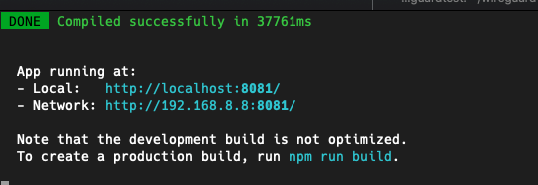
jalankan projectnya

npm run serve

sukses hehehehe

How to Run Django on Jupyter Notebook Visual Code

previously I have struggled to debug my app when running Python app directly; I need it to run on my Jupyter Workspace easily to...
admin
27 sec read

How to secure important data with environments in Python

python file .env
admin
19 sec read

Custome Setting Database Django

berikut ini macam cara settting database django MAMP Server 2. MYSQL Server (XAMPP) 3. Default
admin
13 sec read

Leave a Reply

Your email address will not be published. Required fields are marked *